
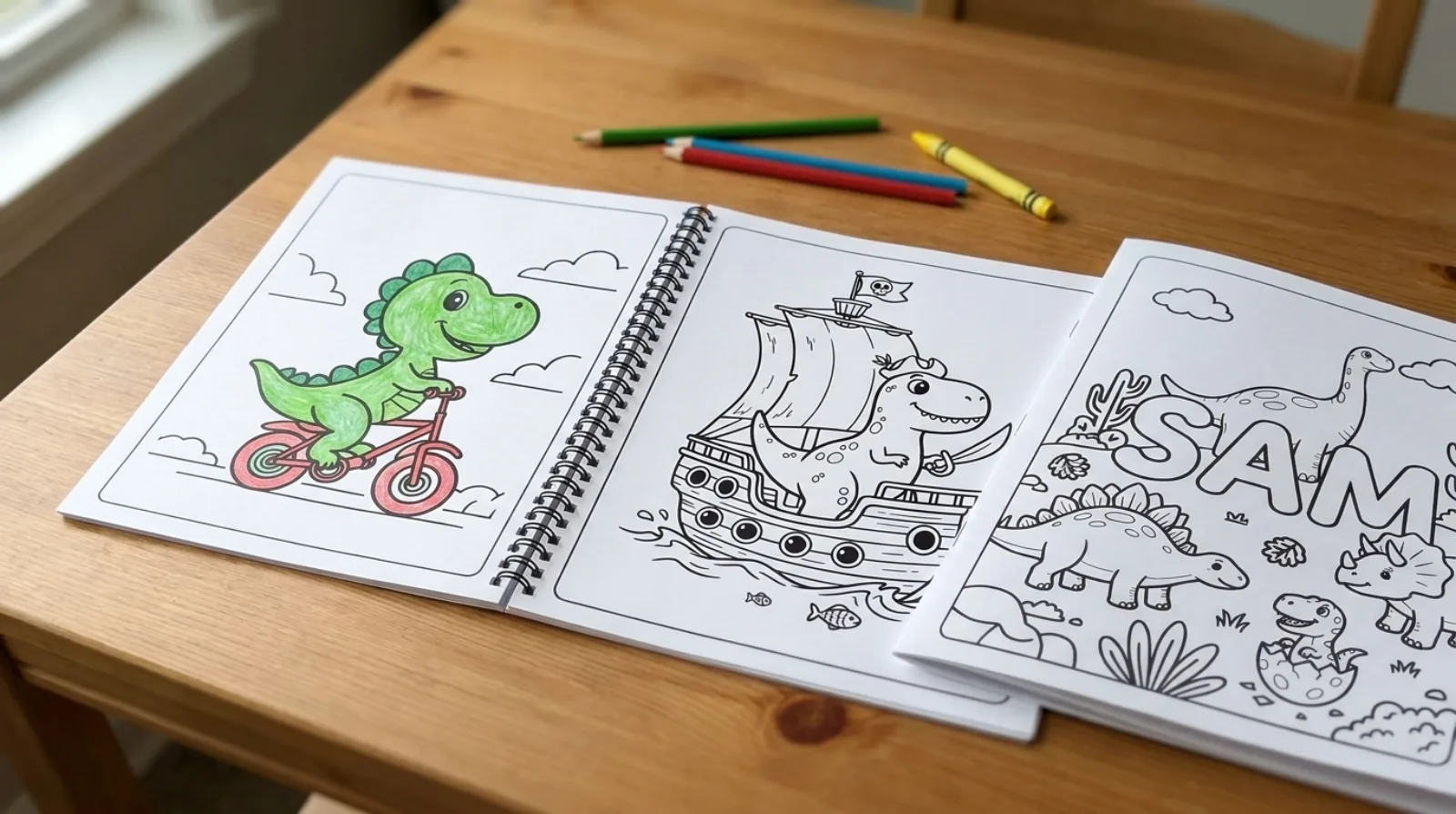
Ten pages of dinosaurs, a cover with a name in big bubble letters, two staples down the left side. That is a coloring book, and you can make one at the kitchen table in an afternoon: you write the ideas, a generator draws them, your printer does the rest.
Here is the whole process, from choosing a theme to closing the spine, with what it costs and where people usually get stuck.
Pick one theme and a number of pages
A book feels like a book when the pages belong together. One subject works best: dinosaurs, the family dog, a trip you just took, a child’s favorite animal, the letters of the alphabet. A loose pile of unrelated pictures is just a pile.
Ten to twelve pages is a good size. It is thick enough to feel like a present, thin enough to staple, and short enough that a child gets to the last page. For a party favor, five or six pages is plenty.
Decide the age before you start, too. Toddlers need big shapes and thick lines; older kids and adults enjoy small details and busy backgrounds. Mixing both in one book means half the pages will be too hard or too easy for whoever gets it.
Make the pages with a generator
Open the AI coloring page generator and describe the first page in one sentence. Name the subject, give it something to do and say where it is. “A dinosaur” gives you a dinosaur standing still. “A happy dinosaur riding a bike past the clouds” gives you a dinosaur riding a bike, with a whole scene to color.
Keep the sentences similar from page to page so the book looks like one set. If the first prompt ends with “simple, big shapes”, end every prompt that way. Then change only the action and the place: the same dinosaur at the beach, at a birthday party, sailing a pirate ship, asleep under the stars.
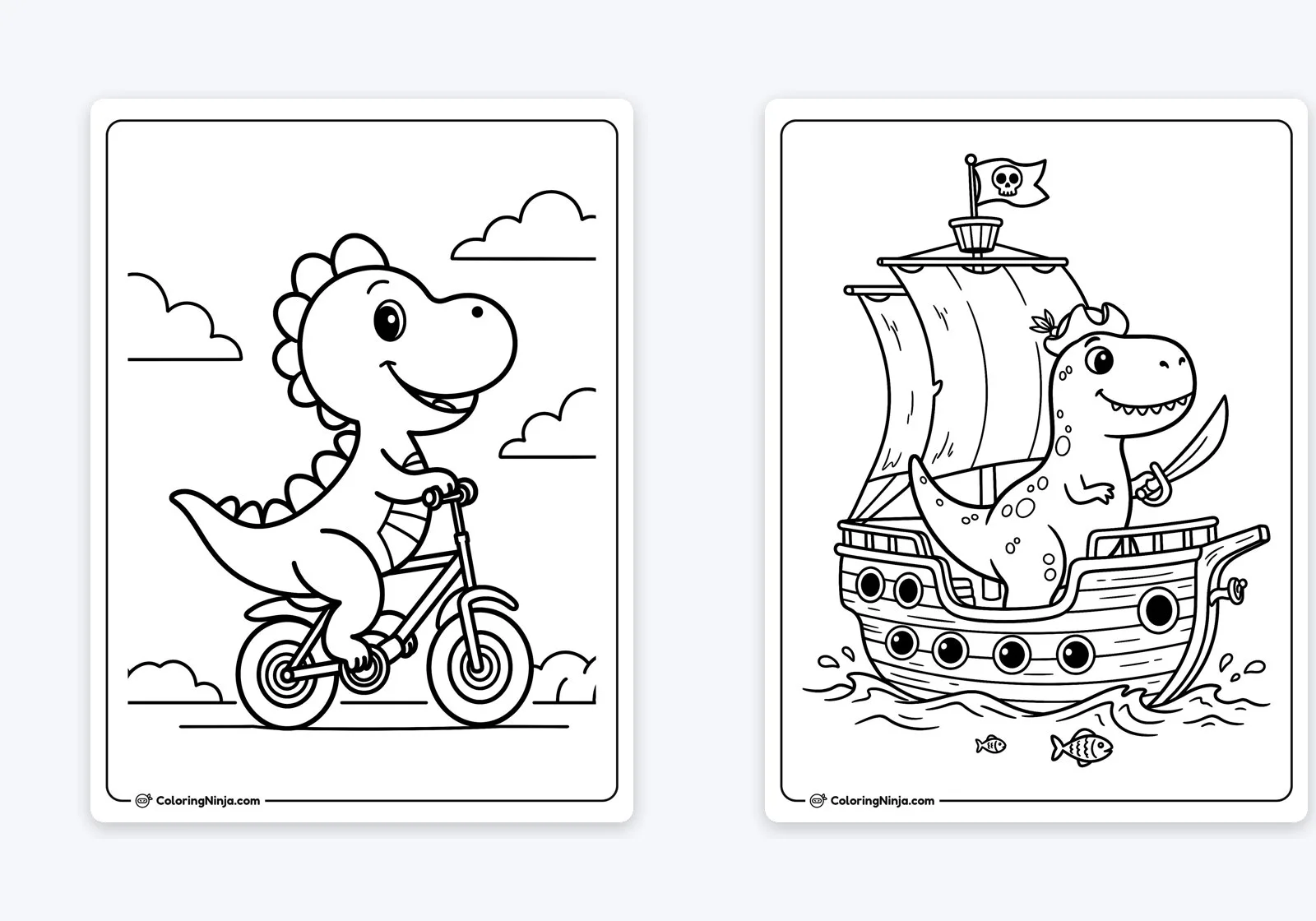
Each page takes about 15 seconds. If one comes out wrong (an extra leg, a strange background), generate it again with a small change to the sentence; it is quicker than trying to fix it.
An alphabet book is a good variation for preschoolers: one page per letter, each with something that starts with it. A page like a big letter E surrounded by dinosaurs gives a child the letter shape to trace and color, and the pictures around it to name.
Add a cover with a name on it
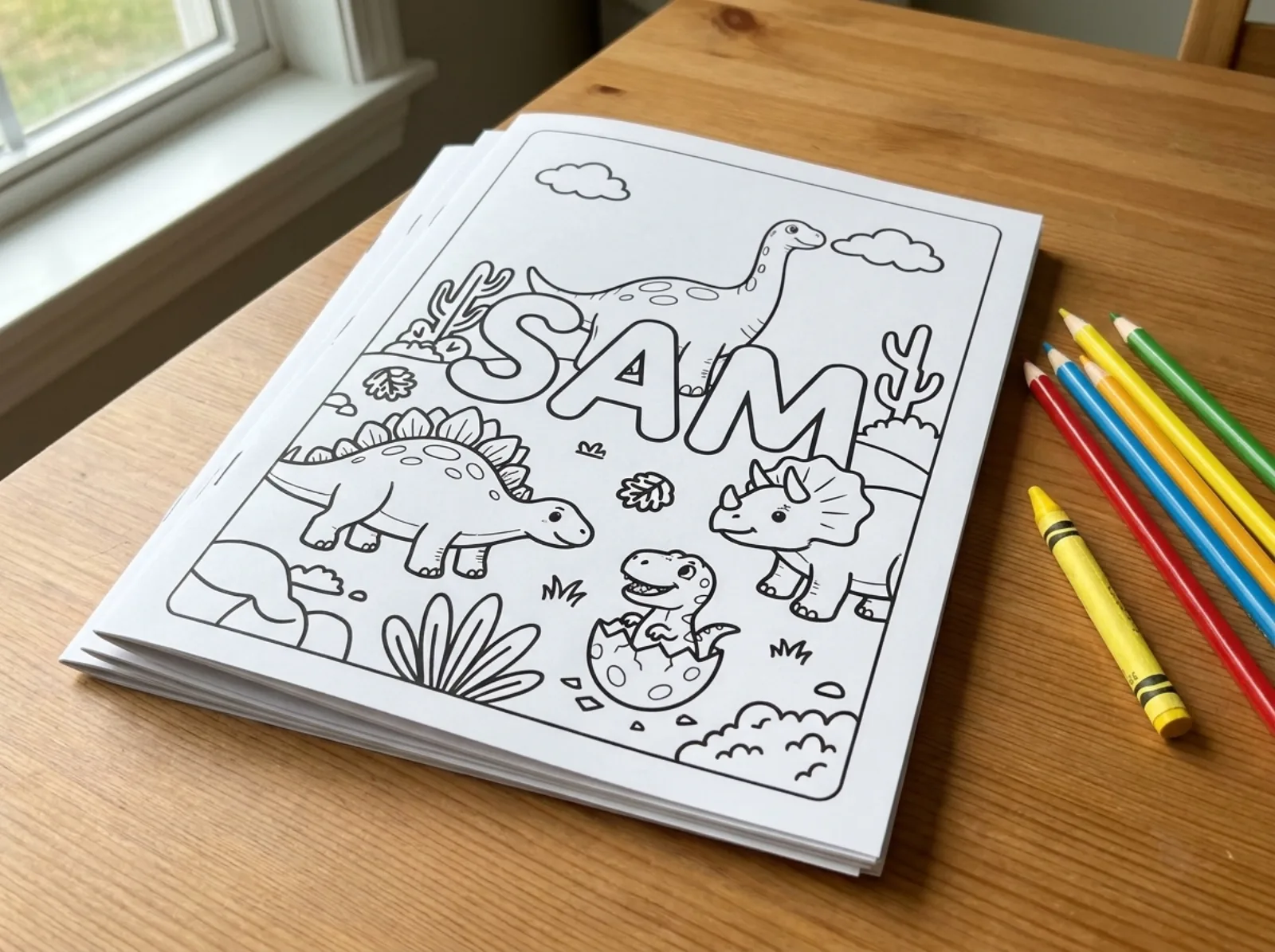
The cover is what turns the pages into a present. The easiest one is the child’s name with the theme around it: write the sentence as “dinosaurs around the name SAM in big bubble letters”. Short words come out right; long sentences on the page often come out misspelled, so keep the text to a name or one or two words.
On any page of the site, the + Add a name button under “Want it your way?” does the same thing for you: type the name and the generator opens with that page’s subject and the name already in the sentence.
Turn family photos into pages
The pages people keep longest are the ones with their own faces in them. The photo to coloring page tool turns a photo into a black-and-white outline in about 20 seconds: the dog on the sofa, the kids at the beach, grandma’s house. Photos with one to three people and good light work best; in a big group every face gets small.
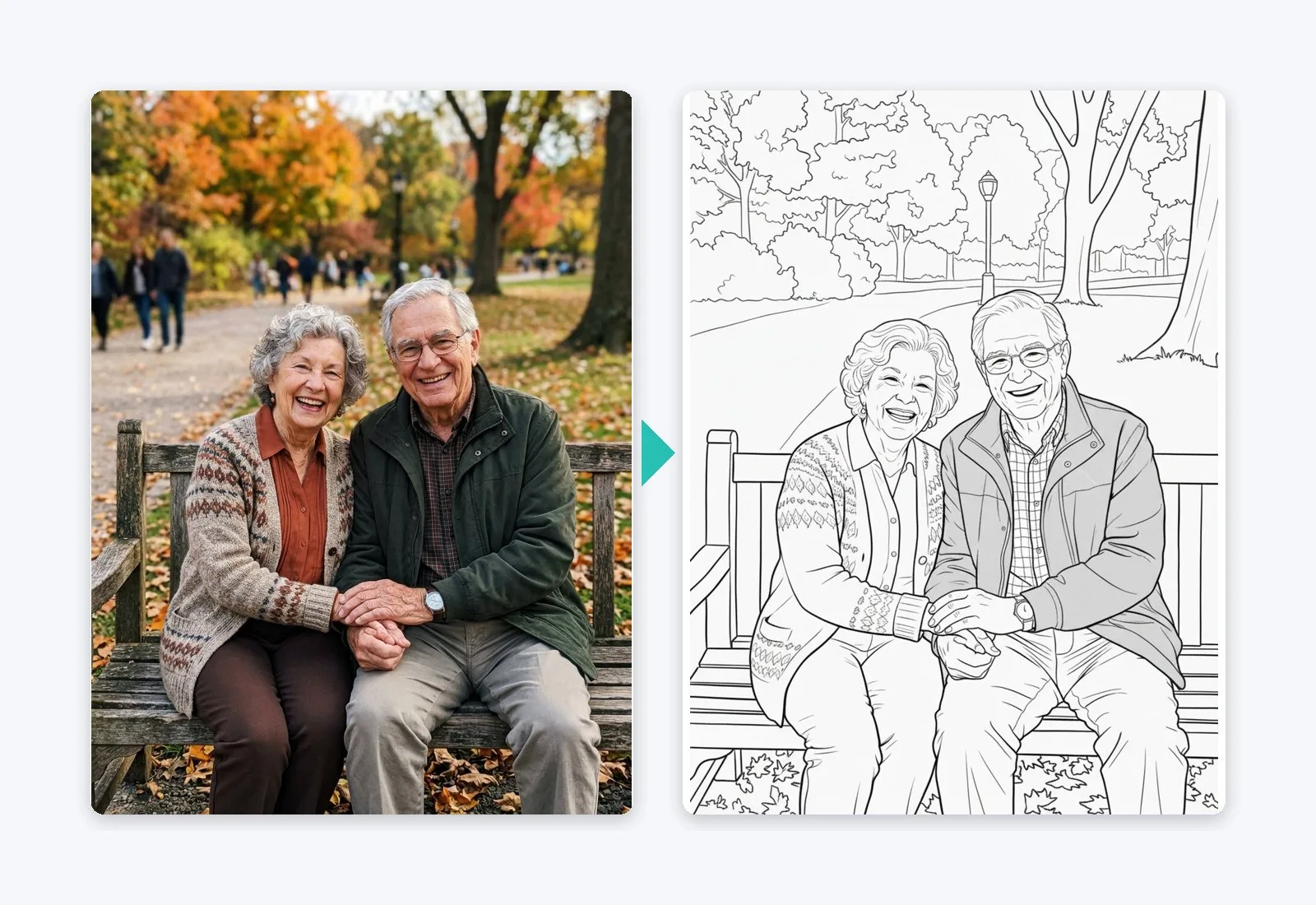
A book that mixes a few photo pages with generated pages around the same theme (a trip, a birthday, a new pet) makes a good gift for grandparents. Pages made from photos are for personal use, which is exactly what a family book is.
Print it so every page looks the same
Use the Print PDF button on each page, not your browser’s print. The PDF is laid out for US Letter with margins so nothing gets cut off, and there is an A4 PDF link next to it for the rest of the world. In the print dialog, choose “Fit to page” and make sure it prints one page per sheet. Our guide on how to print coloring pages covers the settings that make lines come out black instead of gray.
Print on one side of the paper only. Markers bleed through ordinary printer paper, and a page that shows the ghost of the next drawing on its back is hard to enjoy.
For the cover, use thicker paper if you have it. Cardstock goes through most home printers one sheet at a time, and it keeps the book from curling.
Bind it
You do not need special equipment. Pick the method that matches the number of pages and how long the book needs to last:
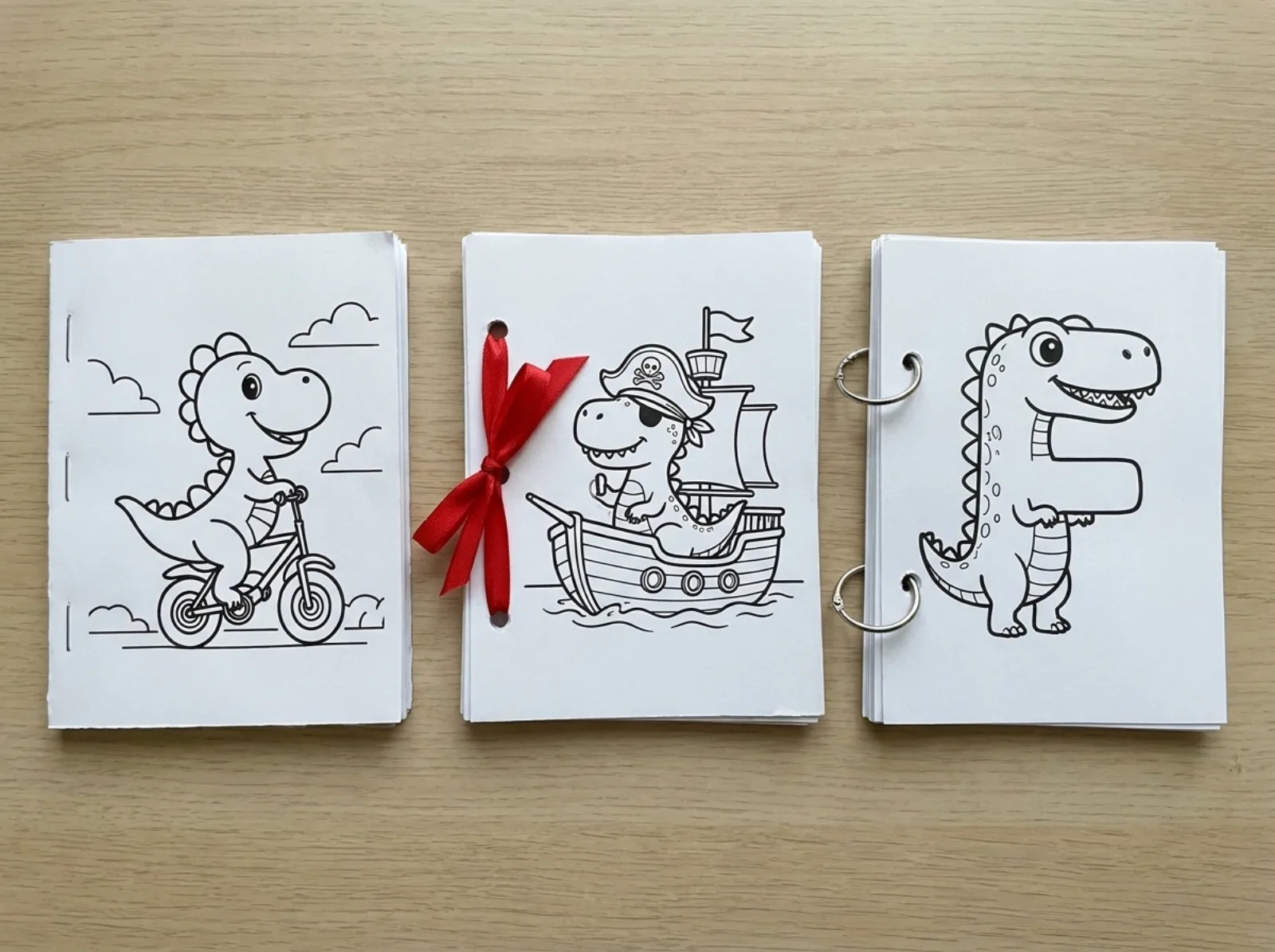
- Stapler: two staples on the left edge, about an inch from the top and bottom. Fine for up to 15 sheets.
- Hole punch and ribbon or yarn: three holes, tied loosely so the pages turn. Looks handmade and lets you add pages later.
- Binder rings: two or three rings through punched holes. The book opens flat on the table, which young children find easier.
- A report cover or folder with clips: no holes at all, and pages slide out for coloring one at a time.
- Spiral or comb binding at a print shop: the sturdiest option, for a book you want to give as a gift.
Put a blank sheet or a second cover at the back so the last drawing does not get scuffed.
What it costs
The first pages are free: three without an account, and three more when you sign up for a free account. After that, 50 pages cost $2.99, paid once, with no subscription, and the credits do not expire. A twelve-page book with a cover fits easily in one pack.
The thousands of pages already on the site are free to print, so you can mix them in. If your theme is common, like dinosaur coloring pages, you may only need to generate the cover and a few special pages.
One thing to know before you start: pages made with free credits may appear in the public gallery. Once you buy credits, your pages are private. They open with their own link, so you can still print and share them, but they are not shown in the gallery or in search.
Ideas for a first book
A birthday book uses the guest of honor’s name on the cover and their favorite animal inside, and works as a party favor if you print one per guest. A road trip book with the places you will pass keeps kids busy in the back seat. A book of the family pet doing silly things (the cat as an astronaut, the dog as a chef) gets colored more than anything you can buy, because it is about someone they know.
For a class, give every child one page with their own name on it and bind the whole set into one book for the classroom shelf.
Make the first page now
Describe your first page in one sentence and see it in about 15 seconds. The first pages are free.
Open the generator